gen‑ai.news
← Back
Image

ChatGPT Sketch turns your bad drawings into detailed AI images

ChatGPT Sketch turns your bad drawings into detailed AI images

OpenAI rolled out ChatGPT Images 2.5 on Tuesday, bringing with it a new input method called Sketch that lets users guide image generation through freehand drawings made directly inside the chat interface. Rather than relying solely on text descriptions, users can now pair a rough visual with their prompt to give the model a clearer sense of composition or subject matter.

To use Sketch, you type @Sketch into the chat box, which opens a drawing canvas within ChatGPT. From there, you can draw whatever you have in mind - even a loose, imprecise doodle - and then describe how you want the final image to look. The model uses both the drawing and the text prompt together to produce the output. Early testing by The Verge found that a rough mouse-drawn cat sketch was successfully interpreted and rendered as a realistic photograph.

The update also adds the ability to leave comments directly on specific parts of images, which points toward a more iterative editing workflow. Instead of rewriting an entire prompt to adjust one element of a generated image, users can annotate the area they want changed - a more precise and intuitive approach to image refinement.

These additions reflect a broader trend in generative image tools toward multimodal input, where text, images, and now drawings can be combined to better communicate intent to a model. Sketch in particular lowers the barrier for users who struggle to describe visual ideas in words alone, making spatial and compositional cues easier to convey. With Images 2.5 as the underlying model, OpenAI appears to be focusing not just on output quality but on expanding the ways users can interact with the generation process.
Enjoy this story? Get the next one in your inbox.

Twice a week: the most important stories in generative image and video AI, distilled into a 2-minute read.

Free. Unsubscribe any time. No spam, ever.

Your next read

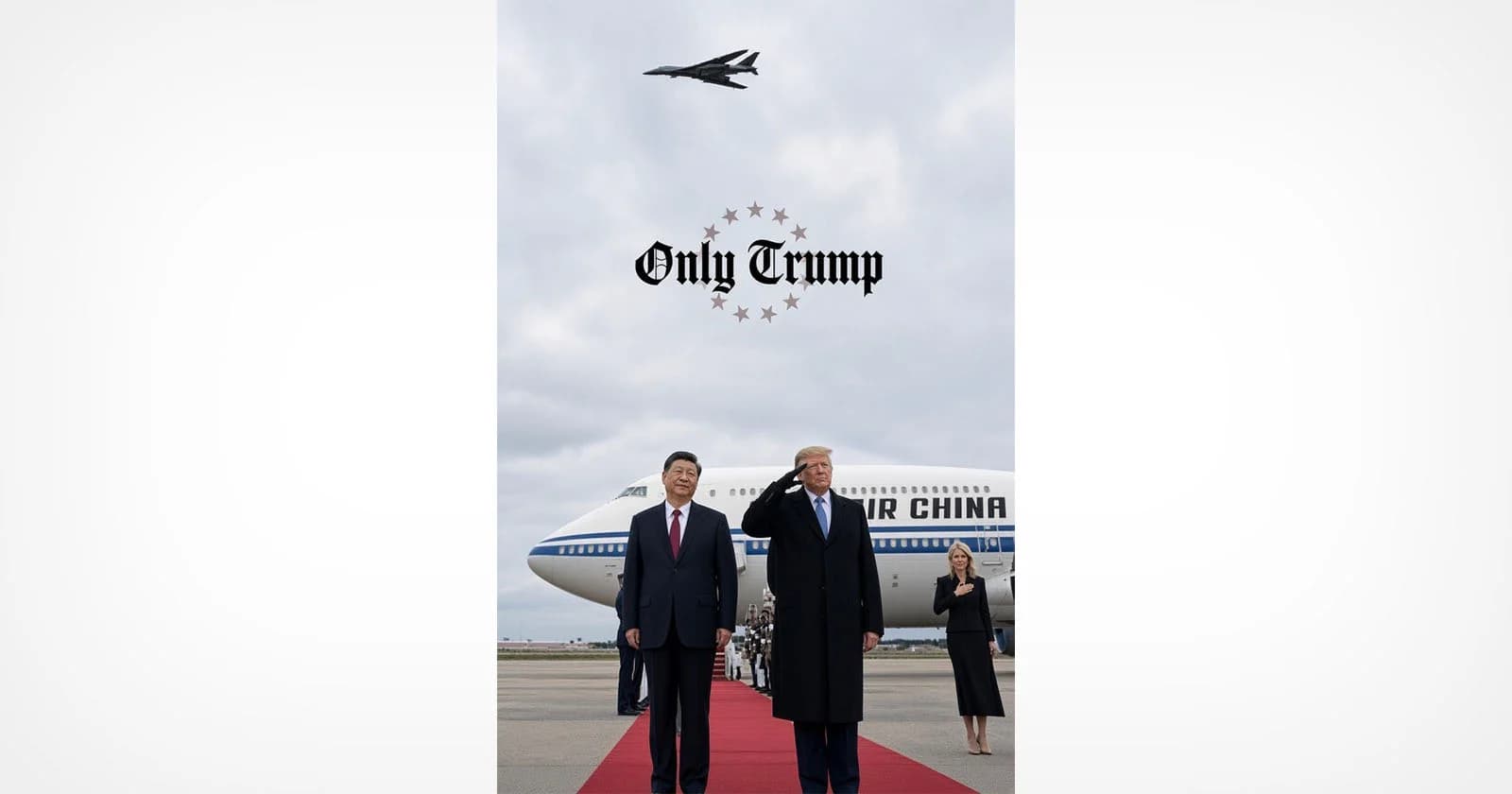
Trump Shares Doctored Photo That Appears to Replace Official With Natalie Harp
Image

Trump Shares Doctored Photo That Appears to Replace Official With Natalie Harp

President Trump shared a doctored photo on Truth Social depicting himself alongside Chinese President Xi Jinping, with experts concluding that an official in the original image appears to have been replaced with Trump aide Natalie Harp. The incident adds to a growing pattern of manipulated images circulating at the highest levels of politics. It raises fresh questions about the role of AI-assisted photo editing in shaping public perception of diplomatic events.

You Can Edit Your Photos With Lightroom and Photoshop Inside Google Gemini
Image

You Can Edit Your Photos With Lightroom and Photoshop Inside Google Gemini

Adobe is bringing Lightroom and Photoshop editing capabilities directly into Google Gemini, allowing users to work with its tools without leaving the AI platform. The move extends Adobe's broader strategy of embedding its software into third-party AI environments, following earlier integrations with ChatGPT, Claude, Slack, and Microsoft Copilot.

No image
Image

Edit updates, thumbnail previews, and more

Midjourney has rolled out a set of interface updates on its alpha site, including live style previews that show how a prompt looks across different styles before committing to one. The update also brings thumbnail previews and refinements to the Edit workflow. These changes reflect the team's ongoing work to make the image generation and editing experience more interactive and informed.