gen‑ai.news
← Back
Image

DxO Releases PhotoLab 10 With AI Add-Ons, Masking, and Color Grading Updates

DxO Releases PhotoLab 10 With AI Add-Ons, Masking, and Color Grading Updates

DxO has released PhotoLab 10, the latest iteration of its well-regarded photo-editing software, with a focus on deeper RAW processing capabilities and AI-driven masking tools. The update continues DxO's pattern of incremental but meaningful improvements, this time targeting areas where previous versions left users reaching for third-party solutions.

The AI masking enhancements are among the most substantive additions in this release. By leaning on machine learning to identify and isolate subjects, skies, and other regions within an image, PhotoLab 10 aims to reduce the manual selection work that has traditionally been one of the more time-consuming parts of a RAW editing workflow. The practical result is faster, more accurate selections - particularly useful when working with complex scenes or fine details like hair and foliage.

Color grading also receives attention in this version, with new controls designed to give photographers more nuanced influence over tones and hues at different luminosity levels. This category of tooling has become a baseline expectation in professional editing software, and the updates here appear aimed at closing the gap with competing applications that have offered more granular color controls for some time.

DxO has long distinguished itself through its optics correction engine, which applies lens- and camera-specific corrections automatically when working with RAW files. PhotoLab 10 builds on that foundation, and the new AI features sit alongside those existing strengths rather than replacing them. For photographers already invested in the DxO ecosystem, the update represents a more complete all-in-one option - one that requires fewer roundtrips to other tools to finish a typical edit.
Read at PetaPixel →
Share:X

Enjoy this story? Get the next one in your inbox.

Twice a week: the most important stories in generative image and video AI, distilled into a 2-minute read.

Free. Unsubscribe any time. No spam, ever.

Your next read

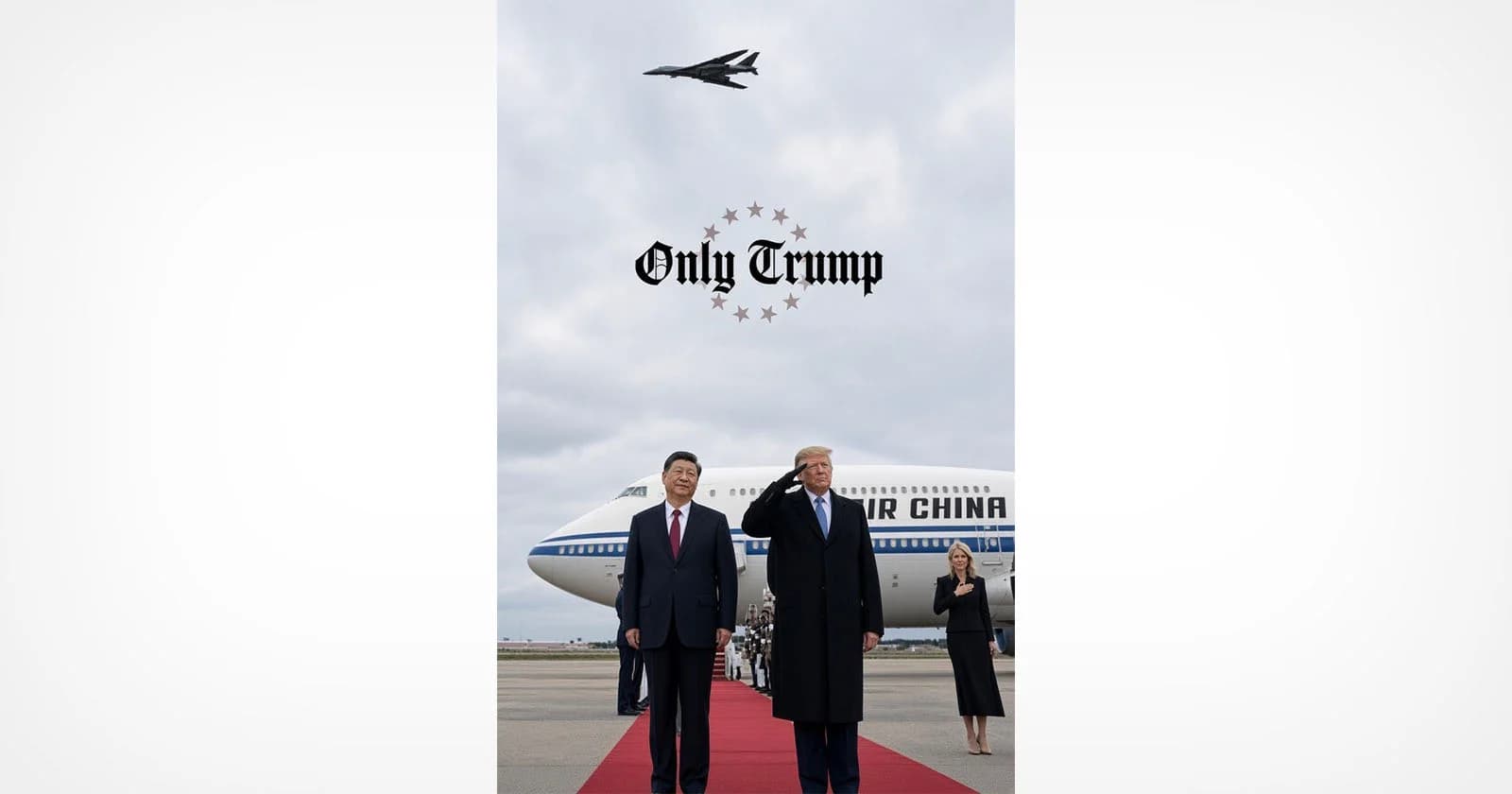
Trump Shares Doctored Photo That Appears to Replace Official With Natalie Harp
Image

Trump Shares Doctored Photo That Appears to Replace Official With Natalie Harp

President Trump shared a doctored photo on Truth Social depicting himself alongside Chinese President Xi Jinping, with experts concluding that an official in the original image appears to have been replaced with Trump aide Natalie Harp. The incident adds to a growing pattern of manipulated images circulating at the highest levels of politics. It raises fresh questions about the role of AI-assisted photo editing in shaping public perception of diplomatic events.

You Can Edit Your Photos With Lightroom and Photoshop Inside Google Gemini
Image

You Can Edit Your Photos With Lightroom and Photoshop Inside Google Gemini

Adobe is bringing Lightroom and Photoshop editing capabilities directly into Google Gemini, allowing users to work with its tools without leaving the AI platform. The move extends Adobe's broader strategy of embedding its software into third-party AI environments, following earlier integrations with ChatGPT, Claude, Slack, and Microsoft Copilot.

No image
Image

Edit updates, thumbnail previews, and more

Midjourney has rolled out a set of interface updates on its alpha site, including live style previews that show how a prompt looks across different styles before committing to one. The update also brings thumbnail previews and refinements to the Edit workflow. These changes reflect the team's ongoing work to make the image generation and editing experience more interactive and informed.