Google Earth’s New AI Lets Anyone Fabricate Completely Bullshit Satellite Images
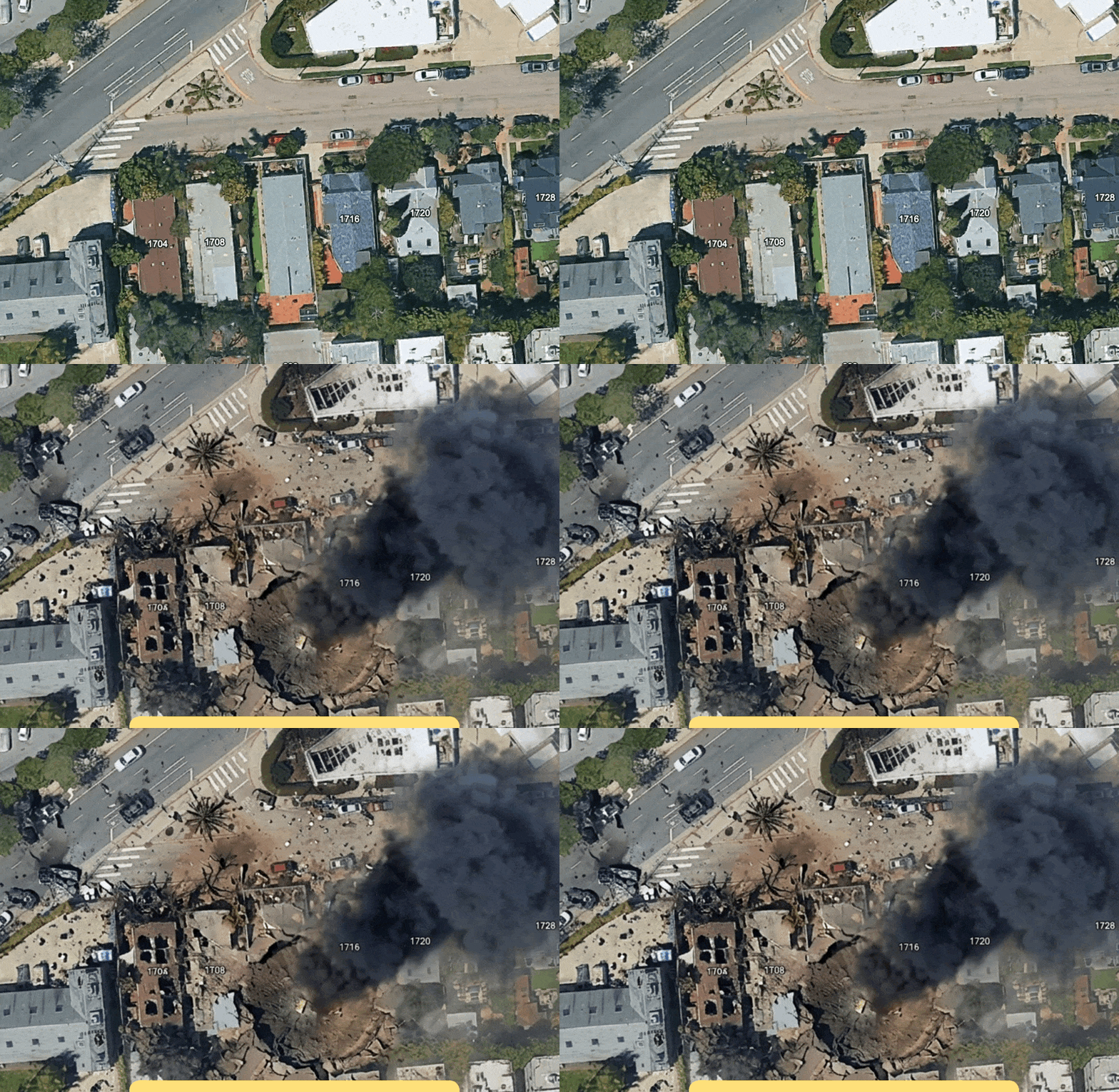
Google Earth has rolled out a generative AI tool that lets users describe a scene in plain text and have it rendered as satellite-style imagery overlaid on real-world locations. A 404 Media reporter tested the feature and within minutes had placed a refugee camp near the Mexican border, fabricated a nuclear power plant in Iran, and staged a fatal traffic collision on a street in Amsterdam - all from single-sentence prompts.
The concern here is straightforward: satellite imagery carries a particular kind of authority. Readers, journalists, and policymakers have long treated overhead imagery as something close to ground truth. A photograph can be staged, but the assumption with satellite or aerial views has generally been that what you see reflects something that actually exists at that location. A tool that lets anyone attach synthetic scenes to real coordinates undermines that assumption in a direct and accessible way.
This follows a broader pattern of generative image tools being embedded into consumer-facing products with large existing audiences. Google Earth is not an obscure research interface - it is a widely used, broadly trusted platform. Putting text-to-image generation inside it lowers the barrier to producing geographically plausible disinformation considerably, since the real map context does much of the persuasive work that a standalone synthetic image could not do on its own.
Google has not yet made detailed public statements about what safeguards, if any, are built into the feature to prevent misuse. The kinds of scenarios demonstrated by 404 Media - false evidence of military infrastructure, humanitarian crises, or accidents tied to specific real addresses - are precisely the content types that have historically been used to inflame geopolitical tensions or spread misinformation on social media. Whether content provenance tools, prompt filters, or watermarking are part of the implementation remains unclear at this stage.