How To Convert Or Upscale A Photo
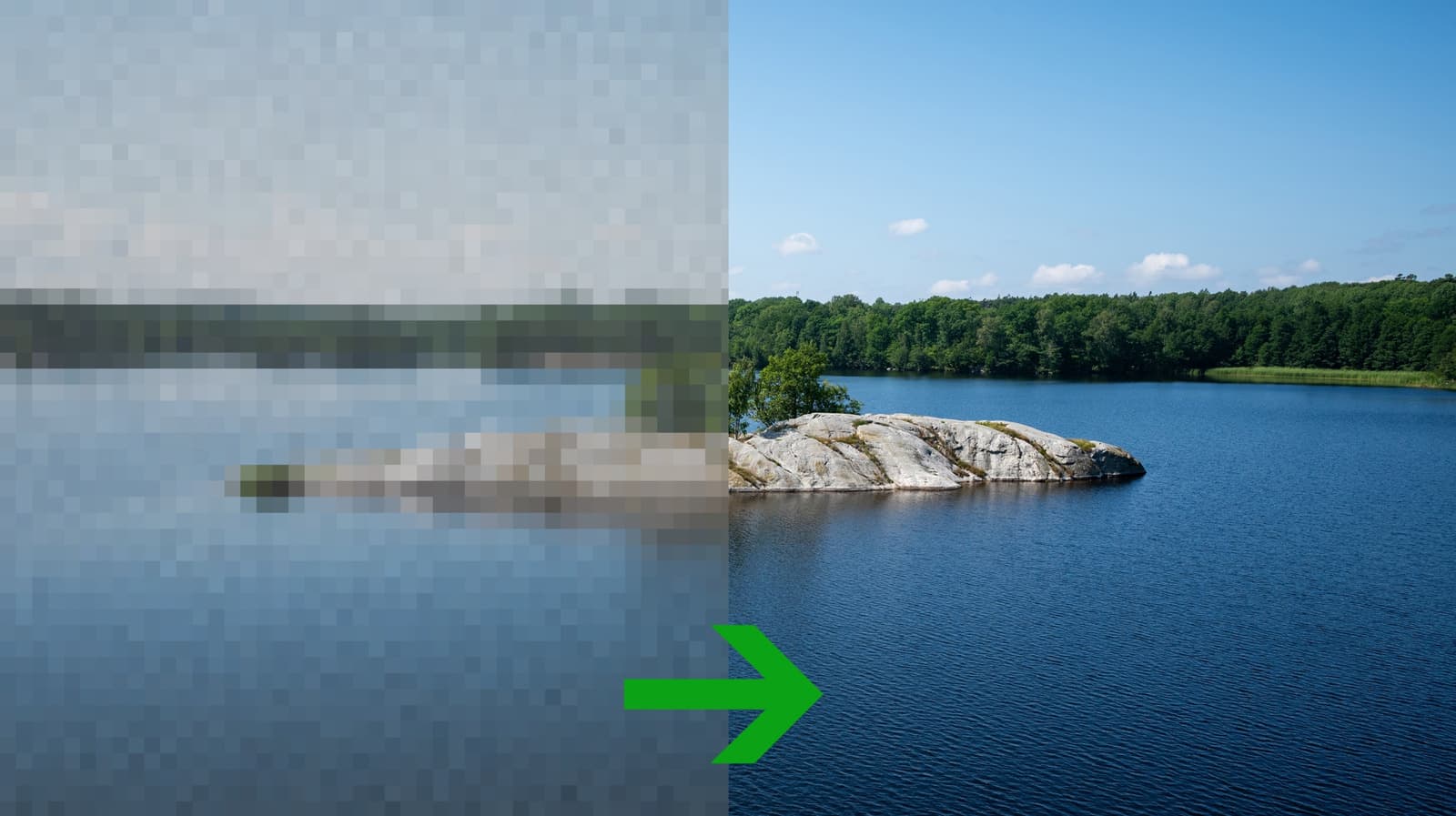
Photo upscaling has shifted from a niche, technically demanding task into something most people can do in a few clicks. The rise of AI-based tools - many of them free or low-cost - has driven this change, with models trained to intelligently fill in detail rather than simply stretching pixels. The result is sharper edges, reduced noise, and images that hold up better when printed or displayed on large screens.
The core distinction worth understanding is the difference between format conversion and resolution upscaling. Converting a photo changes its file type - say, from JPEG to PNG - which affects compression and compatibility but does not add visual detail. Upscaling, by contrast, attempts to increase an image's pixel count while preserving or enhancing perceived sharpness. Modern AI upscalers do this by predicting what missing detail would plausibly look like, based on patterns learned from large image datasets.
Several tools sit at the practical center of this space. Adobe Photoshop's Super Resolution feature, available to Creative Cloud subscribers, uses a machine learning model to double an image's dimensions while keeping edges clean. For those without a subscription, standalone options like Topaz Gigapixel AI and the free web-based tool Upscalepics offer similar results with varying degrees of control. Even Apple's Photos app on macOS and iOS includes some automatic enhancement that can modestly improve perceived clarity.
Knowing when upscaling is worth attempting is as important as knowing how to do it. Images that are heavily compressed, motion-blurred, or shot in very low light tend to show the limits of what AI can recover - artifacts or smearing can appear when the model has too little reliable information to work with. For clean but simply small images, however, modern upscaling consistently delivers results that are noticeably better than traditional bicubic or bilinear interpolation. Starting with the highest-quality source file available will always give the best outcome, regardless of which tool is used.