
How to use Samsung's new My FanCam feature to make yourself the main character in your videos
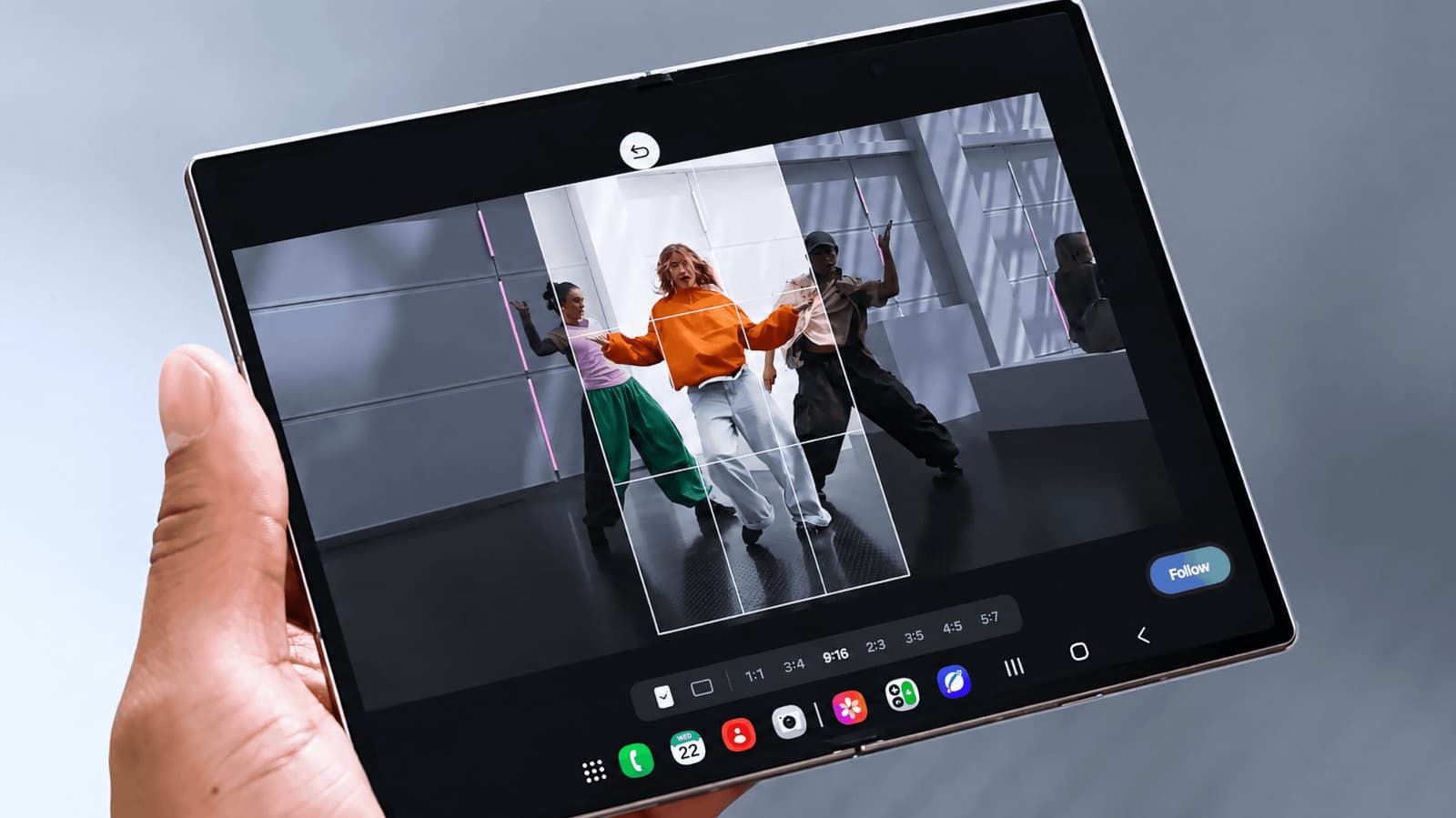
Samsung has introduced a feature called My FanCam, designed to let users record a wide scene while automatically keeping a specific person - such as a child in a school play or an athlete on a field - tracked, cropped, and centered in the final output. Rather than forcing a choice between capturing the full environment and getting a tight shot of one individual, the feature processes both simultaneously using on-device AI.
The practical appeal is straightforward. At crowded events where you cannot always move closer or reposition yourself, wide-angle recording is often the only realistic option. My FanCam addresses the tradeoff by letting the camera capture the broader scene at full resolution, then applying subject-tracking and intelligent cropping to produce a separate, tighter version focused on the person you selected before recording began.
Under the hood, the feature relies on Samsung's image processing pipeline to identify and follow the chosen subject across frames, compensating for movement, partial obstructions, and changes in positioning. The quality of the cropped output depends on the base resolution of the recording - higher resolution footage gives the system more pixel data to work with when producing the zoomed result, which is part of why Samsung has paired the feature with its higher-end Galaxy camera hardware.
My FanCam sits within Samsung's broader push to make AI-assisted camera tools feel less like manual editing steps and more like automatic background processes. Users select their subject at the start of a recording session, and the tracking runs without further input. The resulting video can be saved alongside the original wide shot, giving you both a document of the full scene and a usable, subject-focused clip - without having to choose one or the other at the time of filming.
