Photoshop's new 'Markup' feature lets you draw on images to show what you want
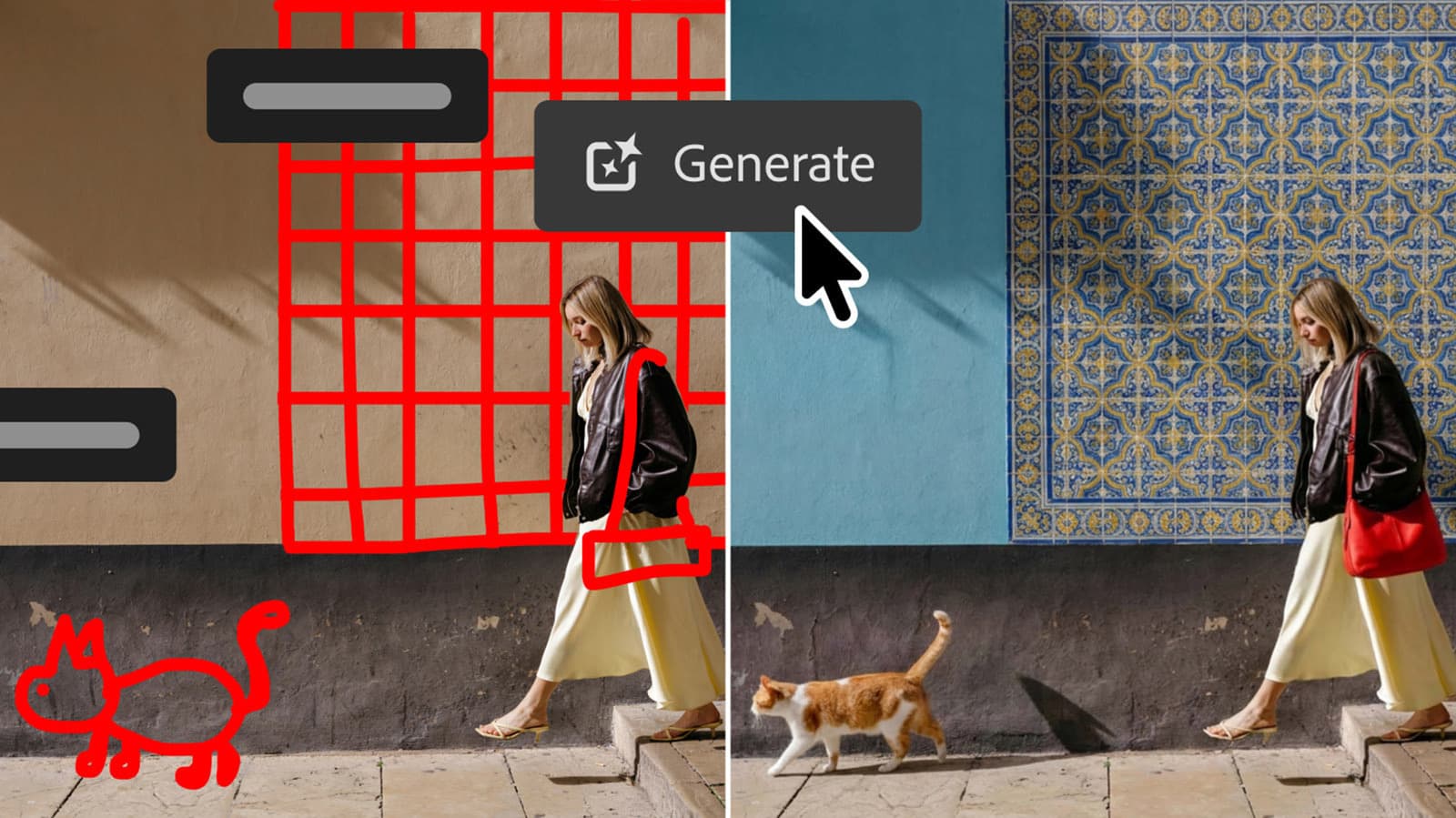
Adobe is expanding Photoshop's generative AI toolset with a feature called Markup, which allows users to draw or annotate directly on a canvas to indicate where and how they want AI-generated content to appear. Rather than relying solely on written prompts, the tool lets users communicate spatial and compositional intent through freehand input - a more intuitive approach for designers who think visually.
The Markup feature reflects a broader shift in how AI image tools handle user direction. Text prompts alone can be ambiguous when it comes to placement, scale, or the relationship between elements in a scene. By letting users literally point to regions and sketch rough shapes or notes, Photoshop gives the underlying generation model more precise context, which can reduce the back-and-forth typically involved in getting a generated result to sit correctly within an existing image.
Alongside Markup, the update introduces tone and color controls modeled closely on those found in Lightroom - tools like targeted adjustments and parametric sliders that photographers have relied on in Lightroom for years. The addition addresses a longstanding gap: users who do heavy compositing in Photoshop have often had to shuttle files between the two applications just to apply the kind of nuanced color grading that Lightroom handles well. Bringing those controls into Photoshop directly should simplify that workflow considerably.
Adobe has been steadily integrating its Firefly generative models into the Creative Cloud ecosystem, and updates like this suggest the company is focused less on standalone AI novelty and more on fitting generation into the practical, step-by-step process of how designers and photographers actually work. Whether Markup meaningfully reduces the friction of AI-assisted editing will depend on how well the model interprets freehand input, but the direction - giving users more direct, gestural control - is a practical one.