gen‑ai.news
← Back
Image

xAI launches Imagine Image 2.0 in Grok Quality Mode
xAI launches Imagine Image 2.0 in Grok Quality Mode

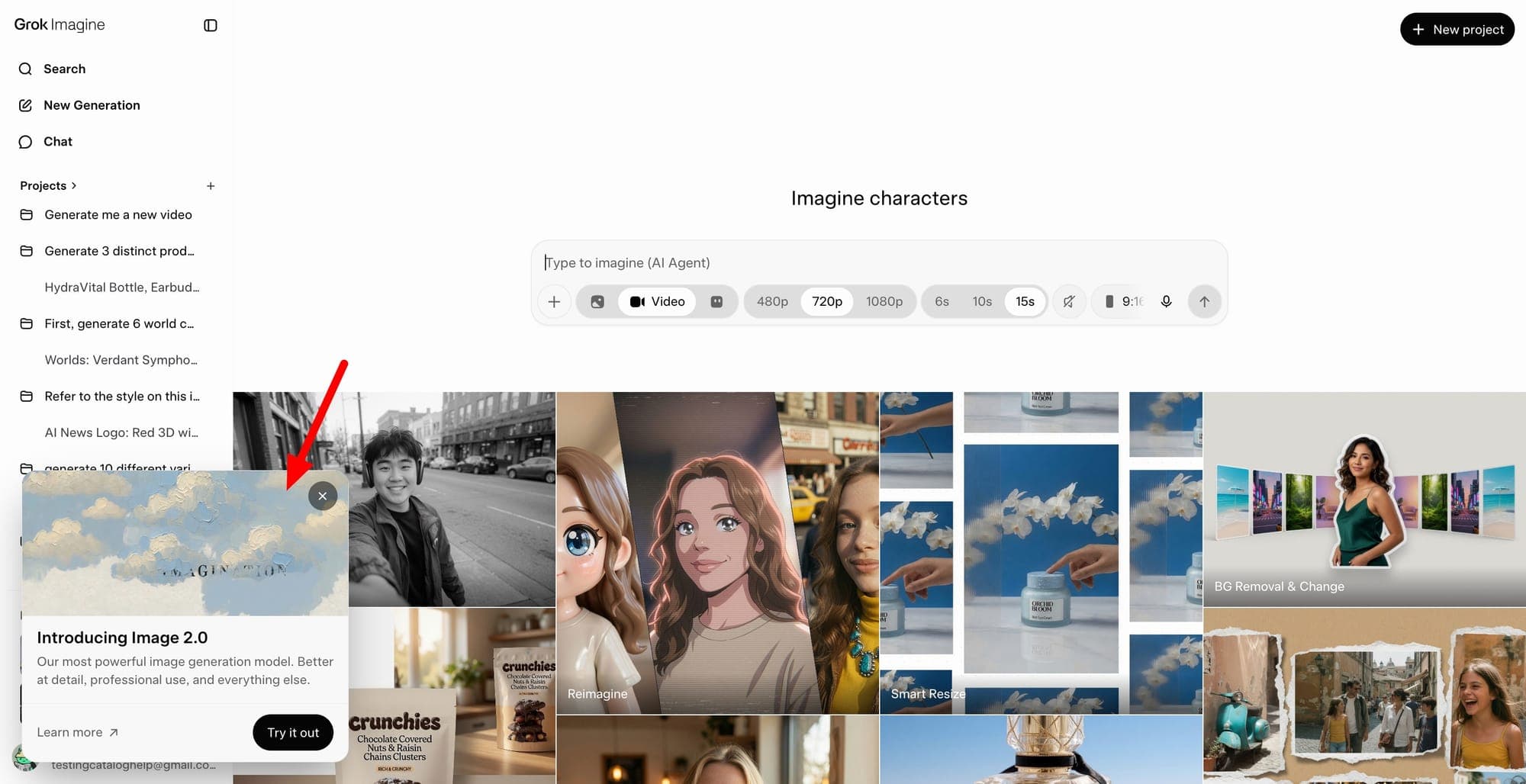
xAI has rolled out Imagine Image 2.0 as part of Grok's Quality Mode, marking a notable step forward for the company's image generation offering. The update is available across both the web and mobile versions of Grok, making the new tools accessible to users regardless of platform.

The headline additions in this release center on control and flexibility. Precise editing allows users to make targeted adjustments to specific areas of an image rather than regenerating the whole thing, a practical improvement for iterative workflows. Smart resize intelligently reframes or scales images while preserving compositional integrity - a feature useful for adapting content across different formats or aspect ratios.

Multi-reference input is another meaningful addition, letting users supply more than one reference image to guide the output. This kind of multi-image conditioning gives users more nuanced control over style, composition, or subject matter, and moves Grok's toolset closer to what some dedicated creative platforms already offer. Workflow templates round out the update by providing reusable starting points for common or complex generation tasks, reducing the setup time for users who regularly produce similar types of images.

Imagine Image 2.0 positions Grok more directly against image-focused tools from other AI developers. xAI has been steadily building out Grok's creative capabilities, and this release suggests the company is treating image generation as a core part of the product rather than a secondary feature. How well the new tools perform in practice - particularly the multi-reference input and precise editing - will likely determine how much traction this update gains with users who have more demanding creative needs.

Enjoy this story? Get the next one in your inbox.

Twice a week: the most important stories in generative image and video AI, distilled into a 2-minute read.

Free. Unsubscribe any time. No spam, ever.

Your next read

Trump Shares Doctored Photo That Appears to Replace Official With Natalie Harp
Image

Trump Shares Doctored Photo That Appears to Replace Official With Natalie Harp

President Trump shared a doctored photo on Truth Social depicting himself alongside Chinese President Xi Jinping, with experts concluding that an official in the original image appears to have been replaced with Trump aide Natalie Harp. The incident adds to a growing pattern of manipulated images circulating at the highest levels of politics. It raises fresh questions about the role of AI-assisted photo editing in shaping public perception of diplomatic events.

You Can Edit Your Photos With Lightroom and Photoshop Inside Google Gemini
Image

You Can Edit Your Photos With Lightroom and Photoshop Inside Google Gemini

Adobe is bringing Lightroom and Photoshop editing capabilities directly into Google Gemini, allowing users to work with its tools without leaving the AI platform. The move extends Adobe's broader strategy of embedding its software into third-party AI environments, following earlier integrations with ChatGPT, Claude, Slack, and Microsoft Copilot.

No image
Image

Edit updates, thumbnail previews, and more

Midjourney has rolled out a set of interface updates on its alpha site, including live style previews that show how a prompt looks across different styles before committing to one. The update also brings thumbnail previews and refinements to the Edit workflow. These changes reflect the team's ongoing work to make the image generation and editing experience more interactive and informed.