Enhance Old, Low-Quality Footage and Photos: An All-in-One Workflow with VideoProc
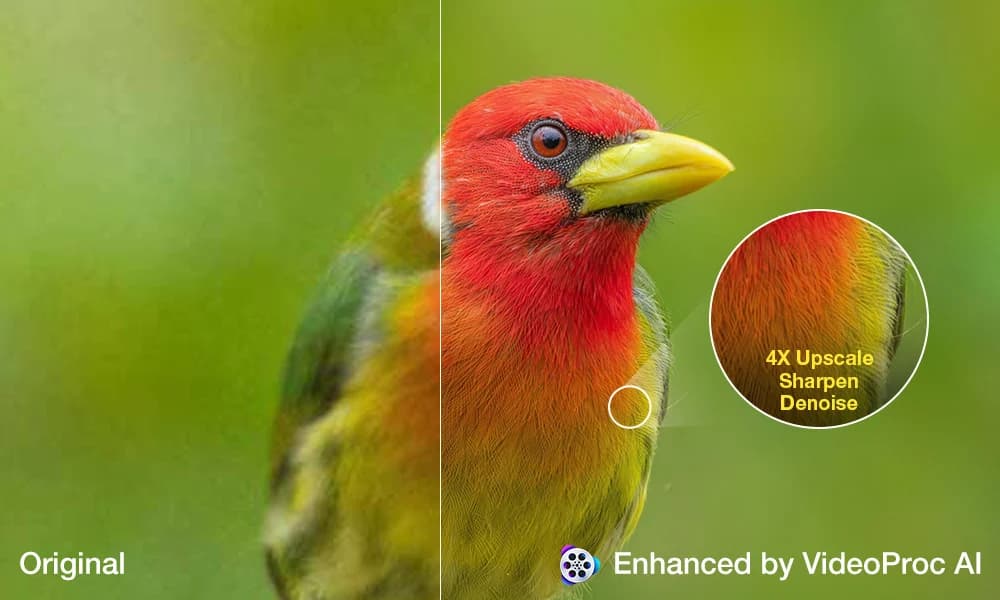
Photographers and videographers regularly run into a familiar set of problems: grainy low-light images, older 1080p clips that look soft on a 4K timeline, or cropped photos that simply do not hold up at large print sizes. VideoProc, a multi-function media processing application, addresses these issues through a unified enhancement workflow rather than requiring users to move between several specialized tools.
The core appeal of the all-in-one approach is friction reduction. Traditionally, restoring old footage might mean running noise reduction in one application, upscaling in another, and handling color correction somewhere else entirely. Consolidating those steps can meaningfully speed up a project, particularly for users who are not professional colorists or restoration specialists but still need reliable results.
On the technical side, AI-assisted upscaling and denoising have matured considerably over the past few years. Models trained on large image and video datasets can now infer missing detail with reasonable accuracy, going well beyond the blurry interpolation that older bicubic scaling methods produced. For video, the challenge is more demanding than for stills - the model must maintain temporal consistency across frames to avoid flickering artifacts, and processing times scale quickly with clip length and resolution. VideoProc's implementation targets the practical middle ground: good enough output for client delivery or social media use, processed at a speed that fits into a normal editing day.
For photographers specifically, the photo enhancement side of the workflow handles upscaling for print - a use case where AI fill-in of fine texture and edge detail can make the difference between a usable large-format file and one that falls apart under scrutiny. Whether working with scanned film, early digital camera output, or heavily cropped frames, tools like VideoProc reflect how AI image processing has moved from a niche experiment into a standard part of the post-production toolkit.