What is Apple's Image Playground app for and how do you use it?
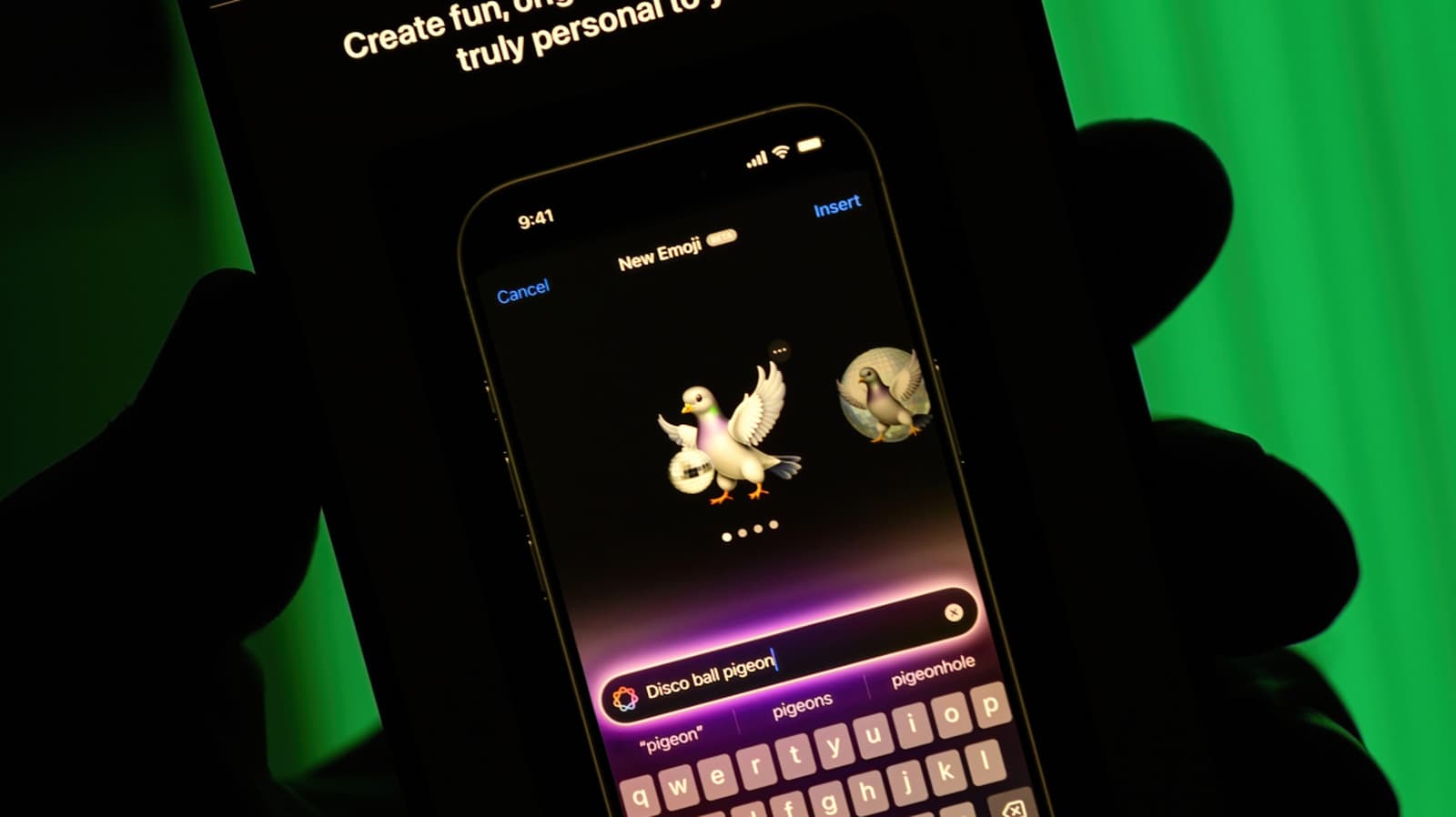
Apple's Image Playground is the company's built-in generative image app, available on devices running the latest versions of iOS, iPadOS, and macOS. It is part of the broader Apple Intelligence suite of on-device AI features, meaning image generation happens locally on the device rather than through a remote server. That approach prioritizes user privacy, though it also ties the feature to newer hardware capable of running the required models.
The app allows users to create stylized images from text descriptions, suggested concepts, or even people from their own photo library. Apple offers a handful of distinct visual styles - such as Animation, Illustration, and Sketch - rather than aiming for photorealistic output. This keeps the tool approachable and sidesteps some of the more sensitive concerns around hyper-realistic AI-generated faces.
This fall brought meaningful updates to Image Playground. Apple expanded the range of styles available and refined how the app handles subject recognition from the Photos library, making it easier to drop familiar faces into generated scenes. The app also deepened its integration with other Apple apps, including Messages and Notes, so users can generate and share images without leaving their current context.
For those new to the app, getting started is straightforward - open Image Playground, type a description or pick from suggested themes, choose a style, and generate. Iterating on a result is as simple as adjusting the prompt or swapping the style. While the output is unlikely to satisfy users looking for fine-grained creative control, Image Playground is designed as a quick, low-friction way to produce personalized visuals directly from an Apple device.